


HUMAN CARTOON PRODUCTION BLOG
- Mar 23, 2018
- 3 min read
Allright so what better time to start logging the work i have been doing on my film (i mean aside from day one) as of this day 23rd of march, i'm finally in a position to continue to the next stage of the animation process and clean up the animatic
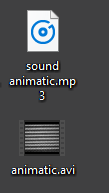
ok so, First things first using the placeholder audio (which is kinda all heavily copyrighted so i cannot actually distribute it) i split the audio from the animatic into a separate file that i could then split into individual scenes the main problem i realized i would have going forward is keeping my work nicely organised, as my usb stick has already gotten to a very eclectic position.
the solution to this issue is to just tidy up the stick, but that is a little trickier than first thought as it's a challange to figure out what is relevant and what isnt. this is because i'm pretty awfull with coming up with file names,
I mean... "FASDASDASD.png" is among the amazingly sorted names i have used in my file storage system.

so it was a case of figuring out what was relevant at this point so i could work from a nicer little space. so here we have it so far. in TV Paint i was able to split each individual scene into it's own file, which will probably be helpful in reducing file size and mitigating catastrophic losses as my degree has been prone to that.

that was easy enough, so now all i had to do was fill up the other folder with the audio for the scenes (again it's all placeholder, but it's timed out pretty much perfectly (ok maybe not perfectly, but it actually flows as a story...kinda?) anyway i took the audio track that i got from exporting the animatic's sound only and took it into Audition

From there it's pretty easy, i just had to gather where each scene ends and the next begins using the audio (luckily i had went and split up the video file before hand so i could look for long patches of no sound to help) then i just needed to seperate the scene audio to a new audio file, which was as simple as selecting the file, right clicking and then choosing save selection as

aight, so i had a little issue here, TV Paint wasn't reading the Mp3 files that i had exported from audition. which is fairly frustrating... i mean it says it can read mp3's but nooooooo!~ alright whatever i don't need your dumb ass lossy file format anyway, not that i care anyway.
so all i had to do was take those files back into audition and save them as .wav (or .au it seems, they were in the same selection, i dunno it works so i wont complain, i assume AU is Australia, so thanks aussies! much love for the file format)
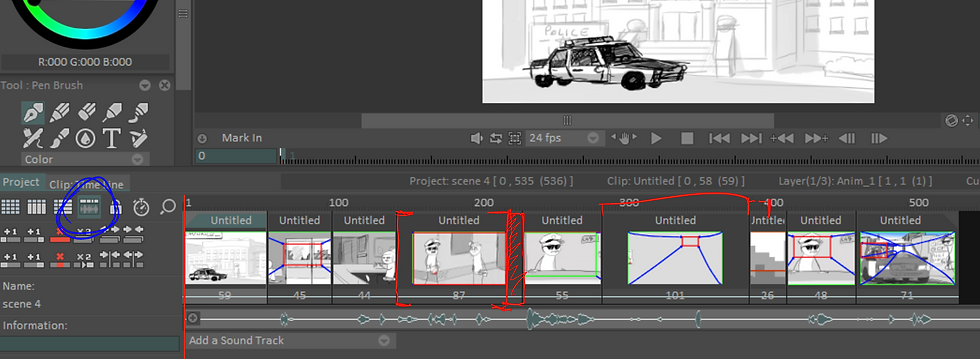
and with that all i needed to do was import scenes sound audio into the timeline viewer for the project. and with a little stretching and contracting of the animation clips i was able to sync the audio to the animatic scenes, there are a few scenes that have bugged out a little, but it doesn't matter, this is cleanup time so it'll all come out in the wash.
so anyway that's the first steps i've taken in terms of finishing this damn animation/degree/university/life i know it's missing a lot in terms of how i got here~ but that's in the past man, stop living in the past,


Comments